🎬 YouTube Translate & Speak
Chrome ExtensionWatch YouTube in any language — translate subtitles, see bilingual captions, and hear them spoken aloud. Works on videos without subs.
Install from Chrome Web StoreScreenshots
What It Does
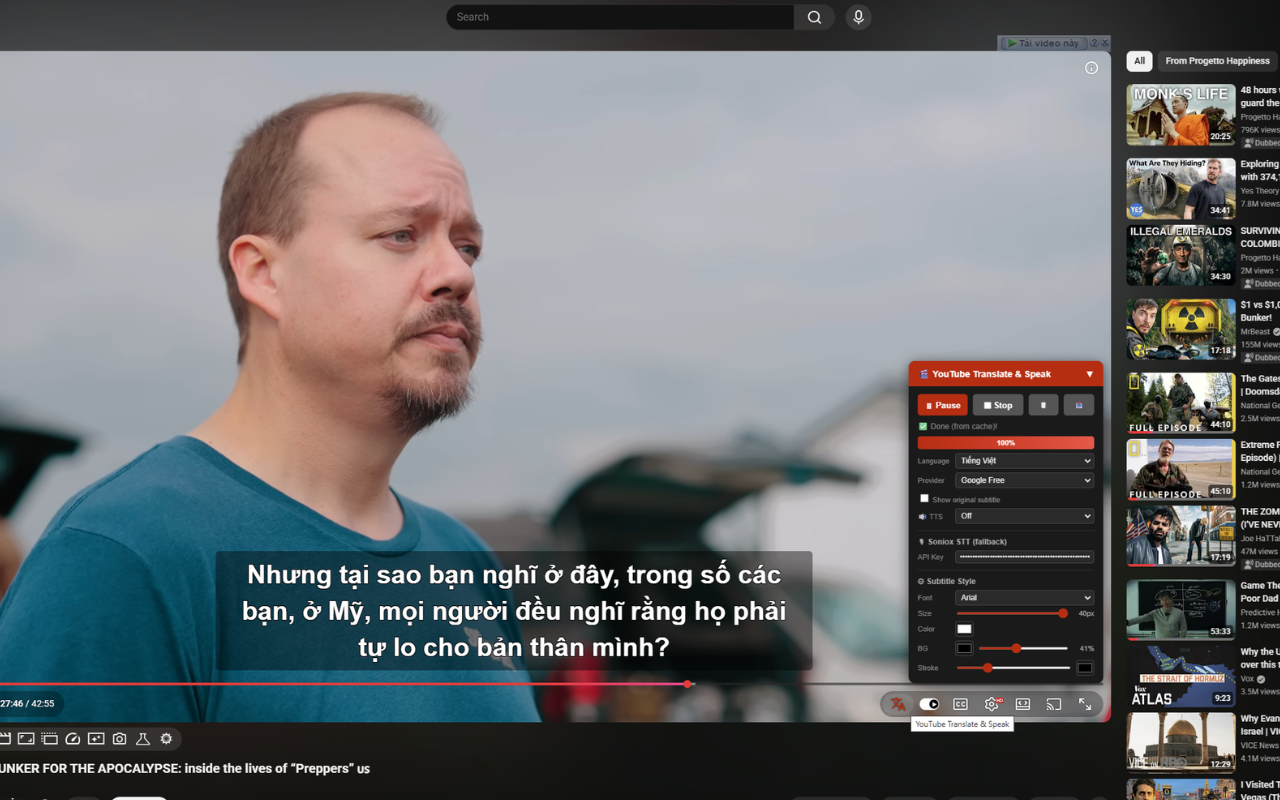
Ever wished you could understand every YouTube video, no matter what language it's in? This extension translates captions into 90+ languages on the fly — right on the video player. No copy-pasting, no switching tabs, no interruptions.
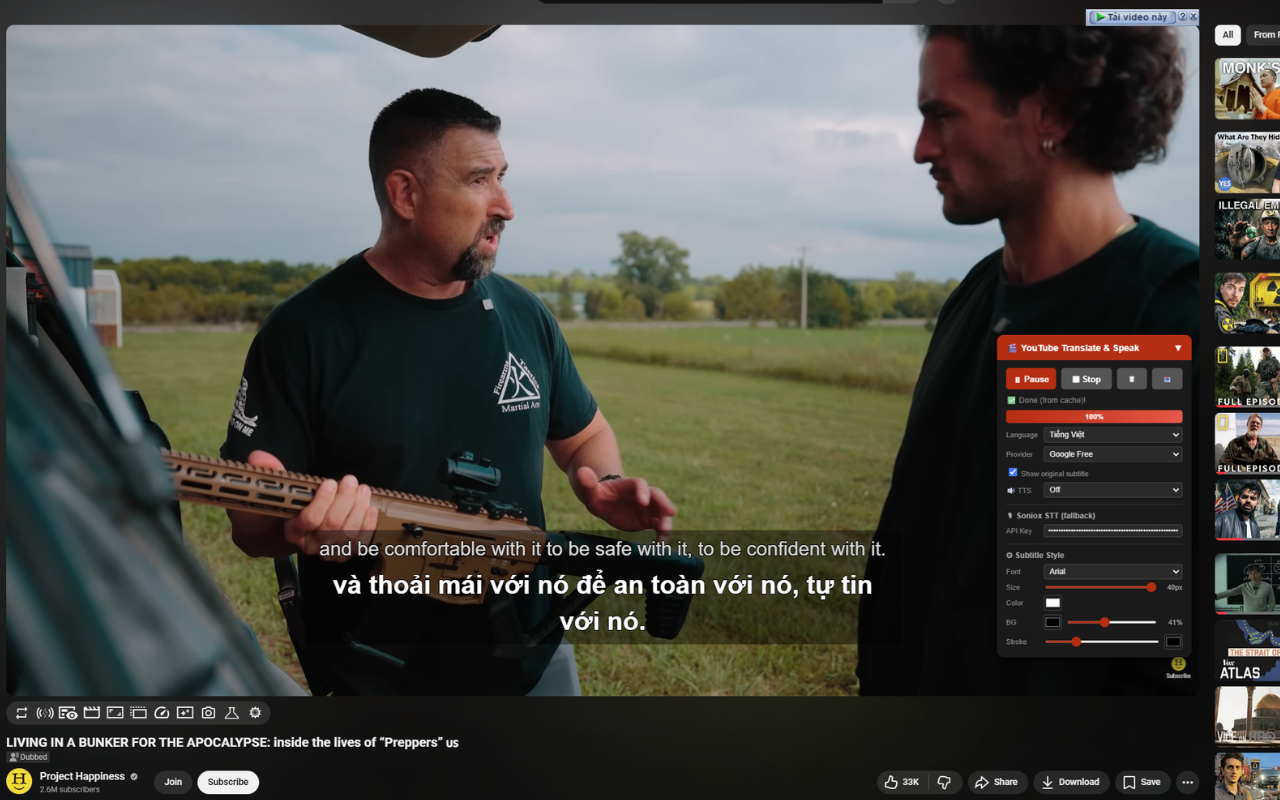
See both the original and translated text at the same time — ideal for picking up new vocabulary or following along in two languages. Have the translated text spoken to you for pronunciation practice or hands-free viewing.
Some videos don't have subtitles at all. With Soniox speech recognition, the extension listens to the tab audio and generates captions from scratch — in real time.
Key Features
🌍 Instant Caption Translation
Pick your language, hit translate, and watch subtitles appear in real time as the video plays. Supports 90+ languages out of the box.
🔤 Side-by-Side Bilingual View
See both the original and translated text at the same time — ideal for picking up new vocabulary or following along in two languages.
🔊 Read Aloud
Have the translated text spoken to you using your browser's built-in voices or premium Google Cloud TTS (Chirp3-HD) voices.
🎙️ No Captions? No Problem.
With Soniox speech recognition, the extension captures tab audio and generates captions from scratch — in real time.
🎨 Make It Yours
Customize everything: font, text size, colors, background opacity, and text stroke. Your subtitles, your style.
📥 Download as SRT
Export both original and translated captions as SRT files (zipped together). Great for video editing, studying, or offline use.
⚡ Smart Caching
Translations are cached locally per video. Come back anytime — no need to re-translate.
🔄 Smooth Navigation
Built to handle YouTube's single-page app behavior. Switch between videos without refreshing — everything keeps working.
Free vs. Premium Features
Everything below works right after installation — zero setup:
✅ Caption translation (Google Translate, free)
✅ Bilingual overlay on the player
✅ Voice readout via browser TTS
✅ Style customization
✅ SRT export
✅ Local caching
Want even better quality? You can optionally bring your own API keys:
🔑 Google Cloud Translation — more accurate and stable for long sessions or technical content
🔑 Google Cloud TTS (Chirp3-HD) — natural, human-like voices that sound far better than default browser speech
🔑 Soniox STT — the only way to get captions on videos that have none at all
FAQ
Q: Do I need an API key?
Nope. Install it and go. The free Google Translate engine handles translation, and your browser's voices handle speech. Nothing else required.
Q: Then what are API keys for?
They're optional upgrades: Google Cloud Translation for better accuracy, Google Cloud TTS for premium voices, and Soniox for generating live captions from audio.
Q: Will API keys cost me money?
Each service offers a generous free tier. Google Cloud gives you 500,000 translated characters per month at no charge. You'd only pay if you go beyond those limits.
Q: Is my API key secure?
Yes. Keys stay in your browser's local storage and are sent only to the official service endpoints. They never pass through any third-party server.
Q: What if a video has no subtitles at all?
You'll need a Soniox API key for that. The extension captures the tab's audio stream and converts speech to text on the fly.
Q: Is this useful for language learning?
Very much so. The bilingual display lets you compare original and translated text line by line. Pair that with voice readout for pronunciation, and you've got a solid immersion tool.
Q: Does it work on Shorts or embedded players?
It's built for standard YouTube watch pages (youtube.com/watch). Shorts and embeds may have limited support.
Support
Questions, feedback, or issues? Contact us: [email protected]
Install Extension