🎬 Douyin & Bilibili Tools
Chrome ExtensionTranslate subtitles in real time on Douyin and Bilibili, and batch-download videos from Douyin. Free and easy to install from the Chrome Web Store.
🛒 Install from Chrome Web StoreScreenshots
Overview
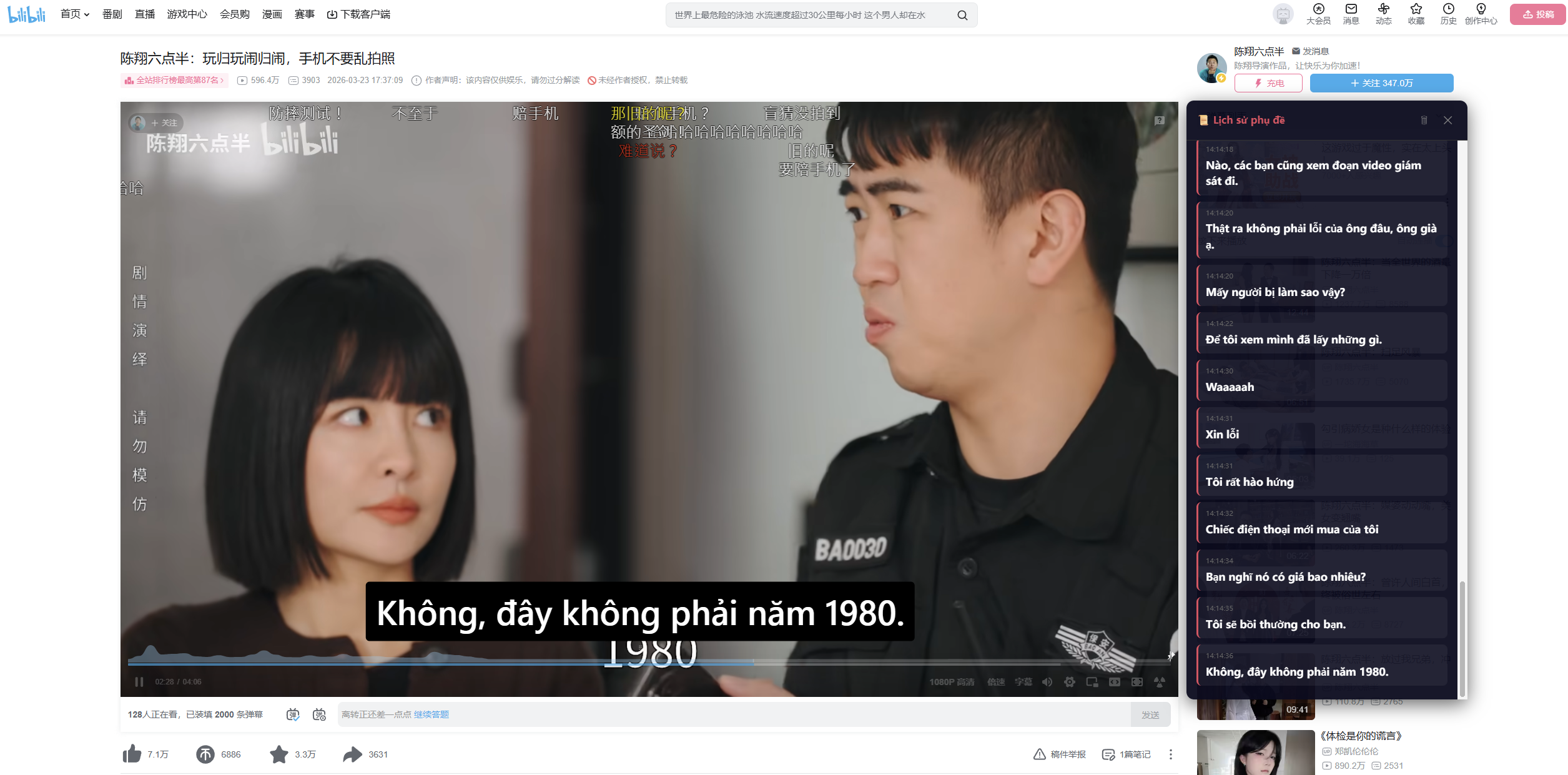
This extension combines three core tools for Douyin and Bilibili: real-time subtitle translation with Soniox speech recognition, Bilibili subtitle translation with Google Translate for greater accuracy from existing text, and batch video downloads from Douyin.
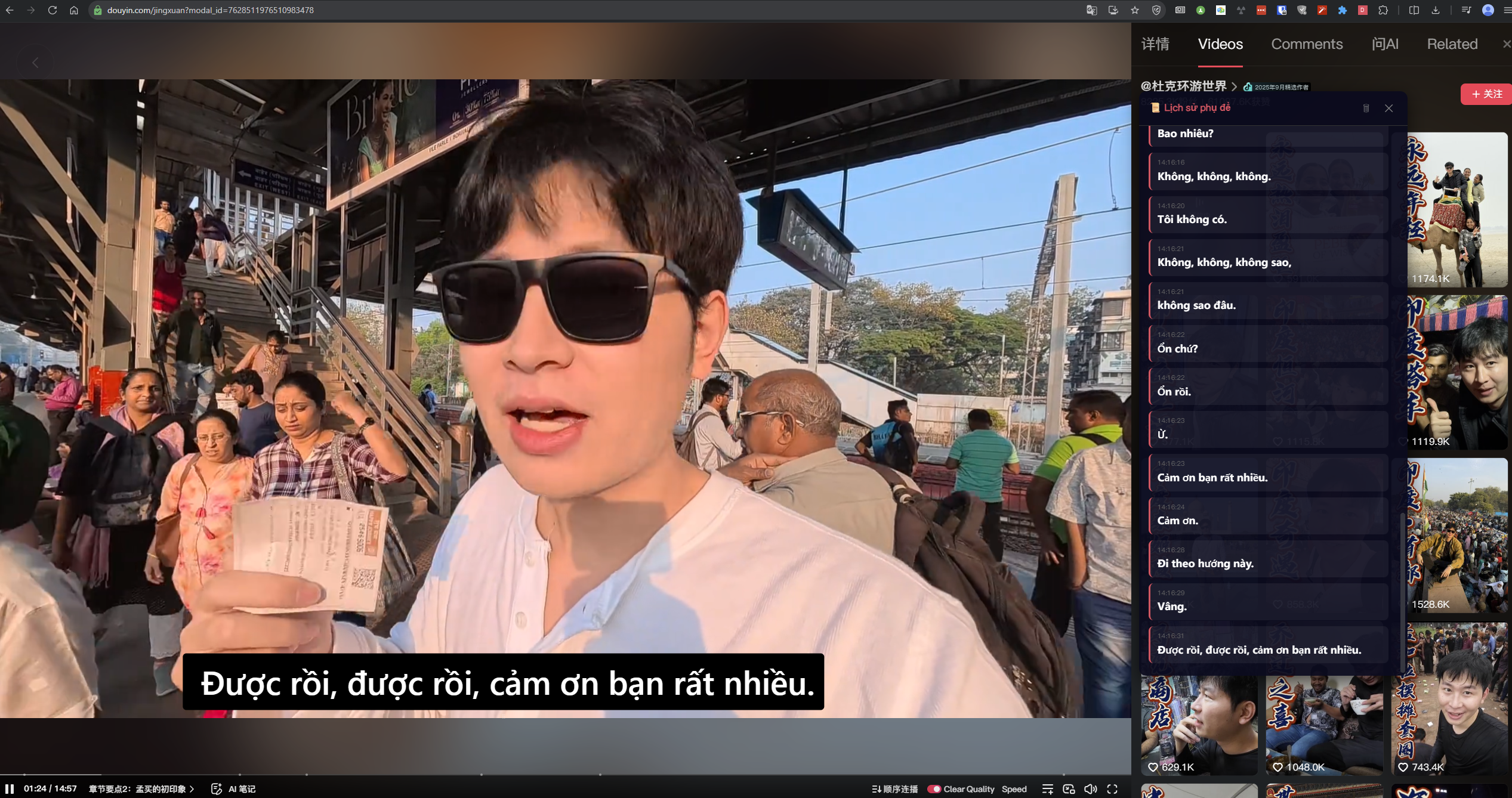
Subtitles appear directly over the video in two lines: the original Chinese text and its translation. You can customize the font, size, colors, and draggable position, and use a subtitle history panel.
Installation
The easiest method:
- Click "Install from Chrome Web Store" at the top or bottom of this page.
- On the Chrome Web Store, click "Add to Chrome".
- Confirm the installation in the dialog.
The extension installs automatically and appears on your browser toolbar immediately.
Supported browsers: Chrome, Edge, Brave, and other Chromium-based browsers.
Key Features
🎤 Real-Time Subtitle Translation (Soniox)
Works with both Douyin and Bilibili. It captures tab audio, recognizes speech through the Soniox API, translates it, and displays subtitles over the video in real time. Seven languages are supported: Vietnamese, English, Japanese, Korean, Thai, Spanish, and French.
📺 Bilibili Subtitle Translation (Google Translate)
Designed for Bilibili. It retrieves existing Chinese AI subtitles and translates them in batches through the Google Cloud Translation API. This is more accurate than Soniox because it uses existing text instead of speech recognition. Subtitles stay synchronized with playback and update automatically when you seek.
⬇ Batch Douyin Video Downloads
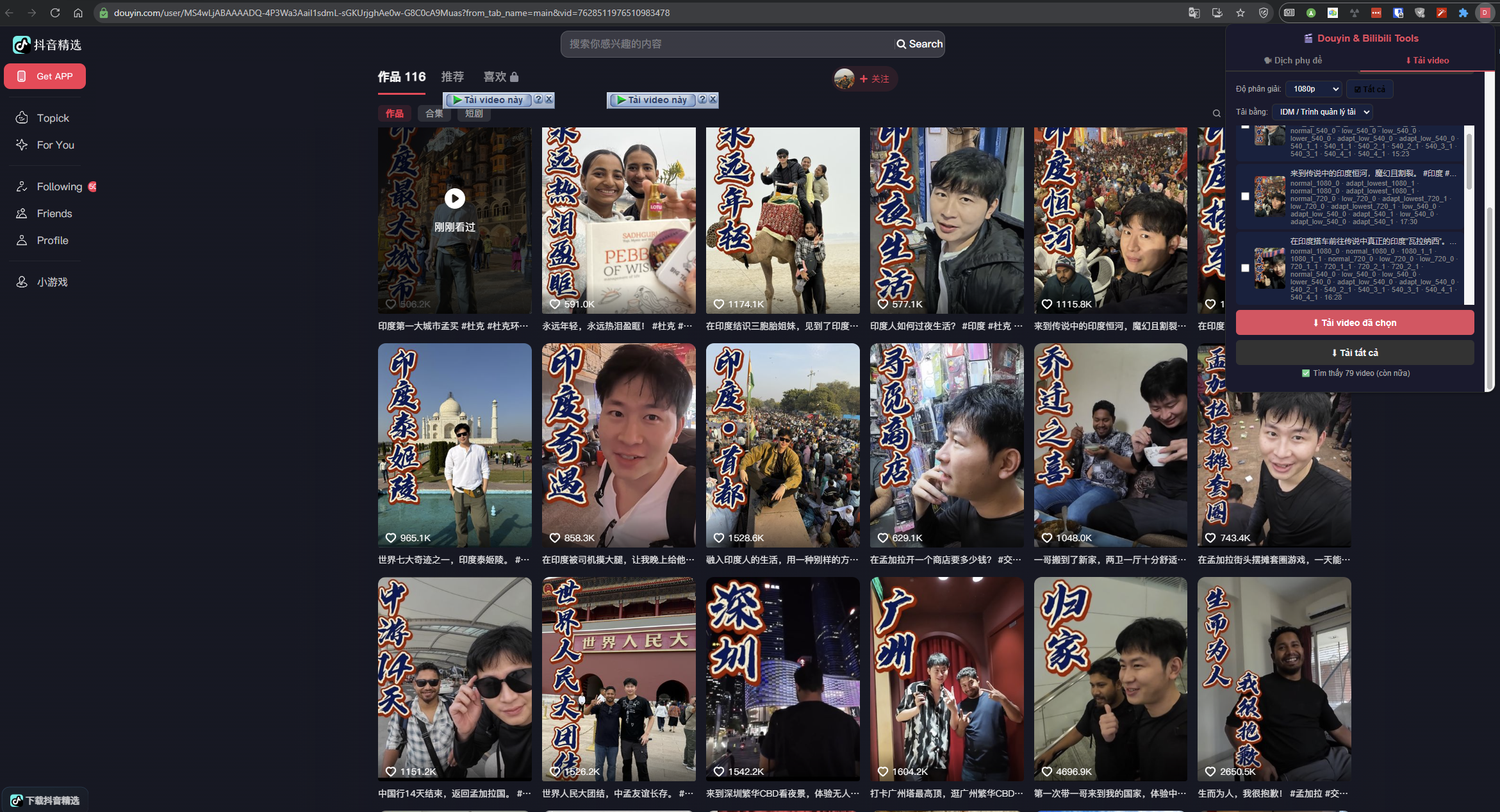
Scan videos from a Douyin profile, choose a resolution (Highest / 1080p / 720p / 480p / 360p), and download through IDM or your browser. Supports profiles, individual videos, Jingxuan, Discover, and search pages.
🎨 Subtitle Customization
Customize font size, typeface, text color, background color, and opacity. Drag subtitles directly on the video, show or hide the original text, and let every setting save automatically.
📜 Subtitle History
A floating history panel in the lower-right corner shows timestamps, original text, and translated text. Drag it anywhere on the screen.
Which Mode Should You Use?
| Situation | Recommended Mode |
|---|---|
| Bilibili video with AI subtitles | 📺 Bilibili Subtitle + Google |
| Bilibili video without subtitles | 🎤 Soniox |
| Douyin video | 🎤 Soniox |
| You want greater translation accuracy | 📺 Bilibili Subtitle + Google |
| You need real-time translation for live content | 🎤 Soniox |
Required API Keys
Soniox API Key (for Soniox mode)
Sign up at console.soniox.com. Soniox is a paid service — see its pricing.
Google Cloud Translation API Key (for Bilibili mode)
Enable the Cloud Translation API in the Google Cloud Console. The free tier includes 500,000 characters per month — see pricing.
Frequently Asked Questions
Q: Is the extension free?
A: The extension is completely free. However, the Soniox API and Google Cloud Translation API may charge based on your usage.
Q: Is the extension available on the Chrome Web Store?
A: Yes. You can install it directly from the Chrome Web Store without using Developer mode.
Q: Do I need to sign in to Douyin?
A: Yes. You must be signed in to Douyin in your browser to scan and download videos.
Q: What if a Bilibili video has no AI subtitles?
A: Switch to Soniox mode to recognize speech directly from the audio.
Q: Which browsers are supported?
A: Chrome, Edge, Brave, and other Chromium-based browsers.
Support
Questions, feedback, or issues? Contact us at [email protected].
🛒 Install from Chrome Web Store